This post may contain affiliate links. If you make a purchase through these links, we may earn a commission at no additional cost to you.
Remember the screech of chalk on a blackboard? For generations, that sound, along with the faint haze of chalk dust, was the soundtrack of learning. But in the 1990s, a quiet revolution began, replacing that familiar slate with a glowing, interactive surface that would forever change the classroom. This is the story of the SMART Board, the interactive whiteboard that transformed teaching from a one-way lecture into a dynamic, hands-on experience.
It all started with a simple idea: what if you could control a computer by touching a screen the size of a whiteboard? This question, posed by founders David Martin and Nancy Knowlton, sparked the invention that would bring the digital world to the front of the classroom. The first SMART Board, introduced in 1991, was a breakthrough. It wasn’t just a projector screen; it was a touch-sensitive canvas that allowed teachers and students to write, draw, and interact with digital content as naturally as they would with a pen.
Today, interactive whiteboards are a cornerstone of modern education, but the journey from a niche piece of technology to a classroom essential is a tale of innovation, vision, and a deep understanding of how we learn. This guide explores that journey, diving deep into what a SMART Board is, how it works, and why it became a game-changer for educators everywhere. We’ll uncover the technology behind the magic, explore the countless ways it enlivens lessons, and look ahead to the future of interactive learning.
Whether you’re a teacher looking to master this powerful tool, a student curious about the tech in your classroom, or just someone fascinated by how innovation shapes our world, you’ve come to the right place.
What Exactly Is a SMART Board and How Does It Work?
At its heart, a SMART Board is an interactive whiteboard that connects to a computer and a projector. But calling it just a whiteboard is like calling a smartphone just a telephone. It’s so much more. Imagine a giant, touch-sensitive tablet at the front of the room that everyone can see and interact with. That’s the magic of a SMART Board.
Let’s break down the three key components that make the system work together:
- The Interactive Whiteboard: This is the physical board itself. It looks like a standard whiteboard, but its surface is embedded with clever technology that can detect the touch of a finger or a special pen.
- The Computer: Your computer does all the heavy lifting. It runs the software, holds the files, and connects to the internet. The SMART Board is essentially a giant mouse and keyboard for this computer.
- The Projector: The projector takes the image from the computer’s screen and displays it onto the whiteboard’s surface. This is what makes the board “live” with your computer’s desktop.
When you touch the SMART Board, it sends a signal to the computer, telling it where you’ve touched. The computer then responds as if you had clicked a mouse in that exact spot. This seamless interaction is what makes it so intuitive. You can open applications, browse websites, and move objects around just by touching the screen.
The Technology Behind the Touch: A Deeper Look
So, how does the board actually know where you’re touching it? Over the years, SMART Technologies has used a few different kinds of touch technology. Understanding them helps appreciate the engineering involved.
Resistive Technology: The Classic Touch
Early SMART Boards used resistive technology. This is similar to the touchscreens on older ATMs or handheld consoles. The board’s surface is made of two flexible layers separated by a thin gap. When you press on the top layer, it touches the bottom layer, completing an electrical circuit. The board’s sensors measure the voltage at that point to pinpoint the exact location of your touch.
- Simplified Explanation: Think of it like a sandwich with two slices of bread that are coated with something that conducts electricity. When you press down, the two slices touch, and the board figures out where you pressed based on that connection.
- Detailed Explanation: The two layers are coated with a resistive material, like indium tin oxide. A voltage is applied across the layers, first horizontally and then vertically. When pressure is applied, the layers make contact, and the system measures the voltage drop along each axis to calculate the precise X and Y coordinates of the touch. This method allows for any object—a finger, a stylus, or even a tennis ball—to be used for interaction.
DViT (Digital Vision Touch) Technology: The Infrared Grid
More modern SMART Boards use DViT (Digital Vision Touch) technology. This is a more advanced, camera-based system. Instead of a pressure-sensitive surface, these boards have a frame embedded with infrared (IR) lights and cameras in the corners.
- Simplified Explanation: Imagine an invisible grid of light beams crisscrossing the surface of the board. When your finger or a pen touches the board, it blocks some of those beams. The cameras in the corners see where the grid is broken and tell the computer your exact location.
- Detailed Explanation: The frame of the board contains IR LEDs on two adjacent sides and cameras on the opposite two corners. These LEDs create a grid of infrared light just in front of the screen’s surface. When an object touches the screen, it obstructs the light path. The cameras detect this interruption and, through triangulation, calculate the precise coordinates of the touch point. DViT technology is highly accurate and allows for multi-touch gestures, like pinching to zoom or rotating objects with two fingers, making the experience much more like using a modern smartphone or tablet.
This shift from resistive to DViT technology was a huge leap forward. It made the boards more durable (since the surface itself didn’t need to flex) and opened the door for the collaborative, multi-user experiences that define the modern classroom.
The Evolution of the Classroom: From Slate to SMART
The journey to the interactive classroom didn’t happen overnight. The SMART Board stands on the shoulders of centuries of educational tools, each one a step towards more dynamic and engaging learning.
A Brief History of Classroom Technology
- The Hornbook (15th Century): Before paper was cheap, students learned their letters from a “hornbook”—a wooden paddle with a lesson sheet (often the alphabet and a prayer) tacked on and protected by a thin, transparent sheet of animal horn. It was a personal, durable, but very limited tool.
- The Blackboard (Early 1800s): The first major breakthrough was the blackboard. James Pillans, a Scottish headmaster, is often credited with inventing it around 1801 by mounting several slates together. For the first time, a teacher could present information to an entire class at once. It was a simple but powerful tool for mass education.
- The Overhead Projector (1960s): The mid-20th century brought the overhead projector, allowing teachers to prepare notes on transparent sheets ahead of time and reveal them progressively. It was a step towards more prepared and visual presentations, but it was still a static, one-way street of information.
- The Whiteboard (1980s): The whiteboard, or dry-erase board, offered a cleaner, dust-free alternative to the blackboard. It was a welcome improvement but fundamentally did the same job.
The Birth of the SMART Board: A Canadian Innovation
The true leap forward came in 1987 in Calgary, Canada. David Martin and Nancy Knowlton founded SMART Technologies with a vision to merge the physical and digital worlds in a way that felt natural. Their big idea was to create a display that you could interact with directly.
The first SMART Board interactive whiteboard was released in 1991. It was a rear-projection system that was clunky by today’s standards, but it was revolutionary. It tethered the power of a computer to the simplicity of a whiteboard. Suddenly, the board wasn’t just for displaying static text; it was a gateway to a world of digital resources.
The real game-changer, however, was the software. SMART knew that the hardware was only half the equation. They developed SMART Notebook, a software application designed specifically for creating and delivering interactive lessons. It gave teachers the tools to build engaging activities, save their notes, and share lessons with others. This powerful combination of hardware and software is what cemented the SMART Board’s place in the classroom.
By the early 2000s, as computers and projectors became more affordable, SMART Boards began appearing in schools across the globe. They represented a paradigm shift in teaching, moving away from passive listening and towards active participation.
Unleashing Creativity: The Power of SMART Board Lessons
The true value of a SMART Board isn’t in the hardware itself, but in what it empowers teachers and students to do. It transforms a static lesson plan into a living, breathing, interactive experience. The possibilities are limited only by the imagination.
Bringing Subjects to Life: Examples Across the Curriculum
Let’s explore how interactive SMART Board lessons can revolutionize different subjects, turning abstract concepts into tangible, explorable ideas.
Math: Making Numbers Tangible
In a math class, a SMART Board can make abstract concepts concrete.
- Geometry: Instead of drawing a clumsy circle on the board with a compass, a teacher can create a perfect one with a tap of a finger. They can then manipulate it, rotate it, and measure its angles with digital protractors and rulers. Students can come to the board and transform shapes, instantly seeing how changing a variable affects the outcome.
- Algebra: Solving for ‘x’ becomes an interactive puzzle. Teachers can drag and drop terms from one side of an equation to the other, with the board automatically updating the calculation. This visual feedback helps students grasp the logic behind the steps.
- Data and Graphs: Students can conduct a classroom poll and instantly turn the results into a colorful bar chart or pie graph on the board. They can then manipulate the graph to see relationships in the data, making statistics engaging and relevant.
Science: Exploring the Unseen
For science, the SMART Board is a window into worlds both too small and too large to see.
- Biology: Students can take a virtual tour of the human body, tapping on organs to see them in more detail. They can dissect a digital frog without the mess or ethical concerns, learning about anatomy in a hands-on way.
- Chemistry: Simulating chemical reactions on the board allows students to experiment safely. They can mix virtual chemicals and watch the reactions unfold, learning the principles of chemistry without needing a full lab.
- Astronomy: Why just look at a picture of the solar system when you can fly through it? With a SMART Board, students can navigate through space, visit different planets, and watch animations of celestial events like eclipses.
Language Arts: Building Stories Together
In language arts, the SMART Board becomes a collaborative canvas for creativity and analysis.
- Reading: A teacher can display a digital version of a book on the board, allowing the whole class to read together. They can highlight important passages, circle unfamiliar words, and add notes in the margins. Tapping on a word could bring up its definition or even a video illustrating its meaning.
- Writing and Grammar: Sentence diagramming becomes a drag-and-drop activity. Students can work together to correct punctuation, rearrange sentences to improve flow, and build paragraphs as a group. Brainstorming for a story is easy with mind-mapping tools, where ideas can be linked and organized visually.
Social Studies: Traveling Through Time and Space
History and geography come alive when they’re not confined to a textbook.
- History: Students can explore historical maps, overlaying them to see how borders have changed over time. They can take virtual tours of ancient ruins, examine primary source documents up close, and watch historical reenactments. A timeline of events can become an interactive journey, with students tapping on dates to uncover more information.
- Geography: Google Earth integration allows students to zoom from a view of the entire globe down to their own school. They can explore different cultures through videos and images, compare geographical features side-by-side, and learn about the world in a way that feels like a real adventure.
The Secret Sauce: SMART Notebook and the Lesson Exchange
What truly elevates these experiences is the software. SMART Notebook is the powerhouse behind the lessons. It’s a flexible tool that lets teachers:
- Create from Scratch: Combine text, images, videos, and sounds to build custom lessons.
- Use Pre-made Resources: Access a vast library of clip art, templates, and interactive widgets.
- Save and Share: Save every note and annotation from a lesson to be reviewed later or shared with absent students.
Furthermore, the SMART Exchange (formerly the SMART Board Lesson Exchange) created a global community of educators. Teachers could upload their own SMART Notebook lessons and download lessons created by others. This collaborative spirit meant that a first-year teacher in one country could benefit from the creativity and experience of a veteran teacher halfway across the world. It was a crowd-sourced library of educational content that grew organically, driven by the passion of teachers.
Beyond the Classroom: SMART Boards in the Wider World
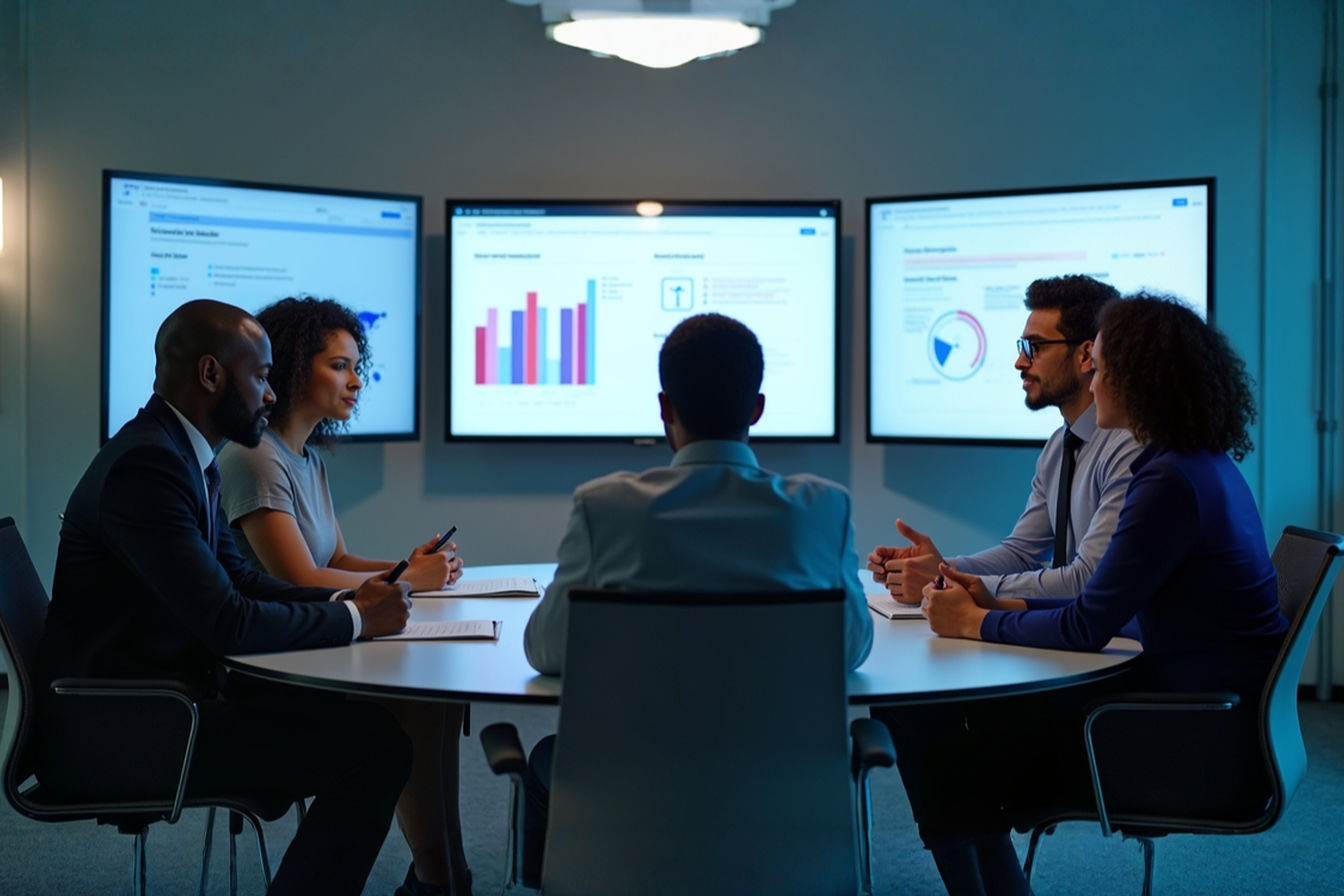
While the SMART Board is most famous for its role in education, its intuitive, collaborative nature has found a home in many other professional environments. The same technology that helps a teacher explain the water cycle can help a team of executives brainstorm a new marketing strategy.
The Corporate Boardroom: A Hub for Collaboration
In the business world, meetings are often where ideas are born, strategies are forged, and decisions are made. The interactive whiteboard is a powerful tool for making those meetings more productive and engaging.
- Brainstorming Sessions: Instead of covering a wall with sticky notes, a team can use a SMART Board to capture ideas digitally. They can move concepts around, group them into themes, and build on each other’s suggestions in real-time. The entire session can be saved as a single file and emailed to participants afterward, ensuring no ideas are lost.
- Project Management: Teams can use the board to visualize project timelines, update Gantt charts, and manage tasks. It becomes a central hub where everyone can see the status of a project at a glance and make adjustments on the fly.
- Client Presentations: A presenter can make their pitch more dynamic by interacting with the content. They can annotate slides based on client feedback, pull up a website to answer a question, or sketch out a custom solution right on the screen. It turns a one-way presentation into a two-way conversation.
Training and Development: Hands-On Learning for Professionals
Corporate training is another area where interactive technology shines. Whether it’s onboarding new employees or teaching a new software system, a SMART Board can make the training more effective.
- Interactive Simulations: Trainees can learn new software by using it on the big screen. The instructor can guide them through the process, and everyone can see the steps clearly.
- Group Problem-Solving: Trainers can present a case study and have the group work together on the board to find a solution. This fosters teamwork and active learning, which are far more effective than passively listening to a lecture.
Government and Military: Command and Control
In high-stakes environments like military command centers or emergency response hubs, the ability to visualize and interact with data is critical. Interactive whiteboards are used for:
- Strategic Planning: Military leaders can display maps and intelligence data, drawing up plans and coordinating movements in real-time.
- Emergency Response: First responders can use interactive maps to track incidents, allocate resources, and manage a crisis as it unfolds. The ability for multiple people to see and contribute to the same operational picture is invaluable.
From the classroom to the boardroom, the core benefit of the SMART Board remains the same: it breaks down the barrier between people and technology, creating a shared digital space where collaboration can flourish.
The Modern Interactive Classroom: SMART Boards and Beyond
The world of educational technology is always moving forward. The original SMART Board was a pioneer, but today it’s part of a much larger ecosystem of interactive tools. The modern classroom is a blend of different technologies, all working together to create a rich, personalized learning environment.
The Rise of Competitors and New Technologies
For a long time, “SMART Board” was almost a generic term for any interactive whiteboard, much like “Kleenex” is for tissues. But today, there are many other players in the market, each with their own take on interactive display technology.
- Promethean: One of the biggest competitors, Promethean’s ActivBoard, offers a similar experience with its own robust software suite, ActivInspire.
- Newline, Clear Touch, and ViewSonic: These companies have introduced interactive flat-panel displays. Instead of a projector and a whiteboard, these are essentially giant, all-in-one touch-screen TVs. They offer brighter images, require less calibration, and eliminate the annoying shadow cast by the presenter.
- Software Solutions: Companies like Google with its Jamboard app (though the hardware is being discontinued, the software lives on in Google Workspace) and Microsoft with its Whiteboard app have shown that collaborative software can sometimes be even more important than the hardware it runs on.
The Interactive Flat-Panel: The Next Generation
The trend is clearly moving away from projector-based systems and towards interactive flat-panel displays (IFPDs). These displays solve many of the pain points of the classic SMART Board setup:
- No More Shadows: Since the image is generated by the screen itself, the teacher can stand in front of it without casting a shadow on the content.
- Brighter, Crisper Images: IFPDs offer 4K resolution and are much brighter than most projectors, making them easy to see even in a well-lit room.
- Less Maintenance: There are no projector bulbs to replace and no need to constantly realign (calibrate) the projector with the board.
- All-in-One Simplicity: Many IFPDs have a built-in computer (often running Android or Windows), so in some cases, you don’t even need to connect an external laptop.
SMART Technologies has, of course, evolved with the times. Their current lineup is dominated by state-of-the-art IFPDs like the SMART Board MX series, which offer all these advantages along with their industry-leading software.
A Blended Learning Environment
The interactive display is no longer the only piece of tech in the room. The modern classroom is a blended learning environment where different tools work together.
- One-to-One Devices: Many schools now provide each student with a laptop or tablet. A teacher can share what’s on the SMART Board directly to the students’ devices. Students can then complete an activity on their own screen and send their work back to the main board for the class to see.
- Cloud Collaboration: Teachers can prepare a lesson in SMART Notebook at home, save it to the cloud, and then open it on the SMART Board at school. Students can collaborate on a single digital document from their own devices, whether they’re in the classroom or learning from home.
- Integration with Other Apps: Modern interactive whiteboard software integrates seamlessly with other popular educational apps and platforms, from Google Classroom to Microsoft Teams.
The role of the SMART Board has evolved. It’s no longer just a presentation tool; it’s the central hub that connects the teacher’s instruction, the students’ individual work, and the vast resources of the digital world. It’s the campfire around which the modern learning community gathers.
The Future of Interactive Learning
What’s next for the SMART Board and the world of interactive education? Technology continues to advance at a rapid pace, and the classroom of tomorrow might look very different from the classroom of today. Here are a few trends that are shaping the future.
Artificial Intelligence (AI) in the Classroom
Artificial intelligence is poised to become a powerful partner for teachers. Imagine a SMART Board that can:
- Personalize Learning: An AI-powered system could track a student’s progress and suggest activities tailored to their individual learning needs. If a student is struggling with a concept, the board could automatically pull up a video or a practice exercise to help them.
- Automate Administrative Tasks: The board could help the teacher take attendance, grade simple quizzes, and manage classroom activities, freeing up the teacher to focus on what they do best: teaching.
- Provide Real-Time Feedback: AI could analyze a student’s work as they do it on the board and offer instant feedback and suggestions for improvement.
Augmented Reality (AR) and Virtual Reality (VR)
While AR and VR are still emerging technologies, their potential in education is enormous. The interactive whiteboard could become a portal to immersive learning experiences.
- Augmented Reality: A teacher could point a tablet at a 2D drawing of a volcano on the SMART Board, and a 3D, erupting volcano could pop out of the screen, visible to the whole class.
- Virtual Reality: The class could take a virtual field trip to the Amazon rainforest or the surface of Mars, with the SMART Board acting as the mission control center, displaying maps, data, and communication from the students exploring in their VR headsets.
A More Collaborative and Connected World
The future of learning is collaborative, not just within the four walls of the classroom, but across the globe. The next generation of interactive technology will break down these physical barriers.
- Global Classrooms: A class in the United States could use their SMART Board to collaborate on a project in real-time with a class in Japan. They could see and hear each other, share ideas on a common digital canvas, and learn about each other’s cultures.
- Guest Experts: A scientist could be invited to speak to the class, appearing on the SMART Board from their lab hundreds of miles away. They could share their screen, answer questions, and even guide the students through a virtual experiment.
The fundamental goal remains the same as it was when the first blackboard was hung on a classroom wall: to share knowledge and inspire curiosity. The tools we use to achieve that goal will continue to evolve, becoming more powerful, more intuitive, and more connected. The SMART Board was a pivotal chapter in that story, a bridge between the analog past and the digital future. It taught us that the most powerful learning happens when we’re not just watching or listening, but actively doing, creating, and exploring together. The legacy of the SMART Board is not in the hardware itself, but in the millions of “aha!” moments it has sparked in classrooms around the world.
Conclusion: The Enduring Legacy of the Interactive Whiteboard
From a simple idea in the late 1980s to a global classroom staple, the SMART Board has fundamentally changed how we teach and learn. It served as the crucial bridge between static, analog tools like the blackboard and the dynamic, connected digital world we live in today. By making technology intuitive, visual, and collaborative, it empowered educators to create more engaging lessons and encouraged students to become active participants in their own education.
While technology has evolved to brighter, more integrated flat-panel displays and a host of competing software, the core principles pioneered by the first SMART Board remain the bedrock of the modern interactive classroom. The focus on hands-on learning, easy access to digital resources, and collaborative problem-solving is its true, lasting legacy. The tool itself may change, but the interactive revolution it started in classrooms and boardrooms continues to shape the future.
Further Reading & Resources
For those looking to dive deeper, here are some valuable resources to explore the world of interactive displays and educational technology:
- SMART Technologies Official Website: The official home of the SMART Board. Explore their latest interactive displays, software solutions, and professional development resources for educators.
- SMART Exchange: A massive online library of free classroom resources, lesson plans, and activities designed for SMART Notebook software. A great place for teachers to find inspiration.
- Promethean World: Explore the products and software from one of the leading competitors in the interactive display market to compare features and philosophies.
- Edutopia – Technology Integration: A trusted resource from the George Lucas Educational Foundation that provides articles, videos, and case studies on how to effectively integrate technology into the classroom.
- How Interactive Whiteboards Work (Explain That Stuff): A clear, non-technical article that breaks down the different types of technology used in interactive whiteboards, from resistive to infrared and electromagnetic.
The fundamental goal remains the same as it was when the first blackboard was hung on a classroom wall: to share knowledge and inspire curiosity. The tools we use to achieve that goal will continue to evolve, becoming more powerful, more intuitive, and more connected. The SMART Board was a pivotal chapter in that story, a bridge between the analog past and the digital future. It taught us that the most powerful learning happens when we’re not just watching or listening, but actively doing, creating, and exploring together. The legacy of the SMART Board is not in the hardware itself, but in the millions of “aha!” moments it has sparked in classrooms around the world.